AI support email triage with a human final decision.
I built an n8n workflow that classifies support emails, routes them by risk, drafts routine replies from a small FAQ set, pauses for human review, and logs the result.
A small consumer-products support team is buried in repetitive order-status, product, refund, and complaint emails.
Support teams read each email, work out what it is about, judge urgency, and choose a next step. Some of that work can be prepared by AI. Customer replies and high-risk cases still need a person.
User
A support lead at a small consumer-products company.
The fictional company sells fans and air purifiers. The lead wants faster sorting and first drafts while keeping approval, escalation, and customer contact under human control.
V2: enterprise integration
The prototype came first. V2 adds real test connections and a clear audit trail.
V1 proved the routing logic with a webhook and a generic approval step. V2 keeps that working path and connects Gmail, Slack, Jira, and Google Sheets test accounts. The connected test pass used fixed demo rules for synthetic mail, so it did not spend money on model calls. The OpenAI path stays in the workflow for non-demo runs. The human gate stays absolute.
A label-scoped trigger watches only test mail that I send to myself. The webhook stays as a fallback.
Slack
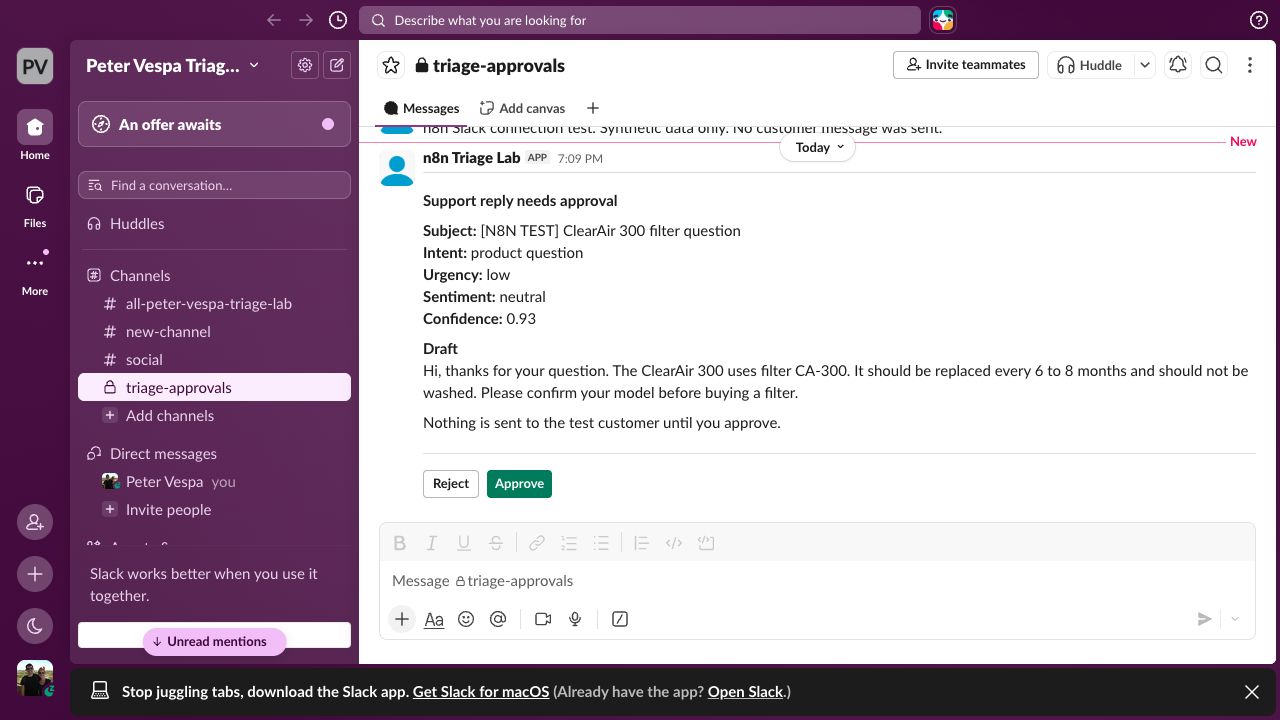
Drafts go to #triage-approvals. Approve sends the test reply. Reject logs a fixed needs-edits reason.
Jira
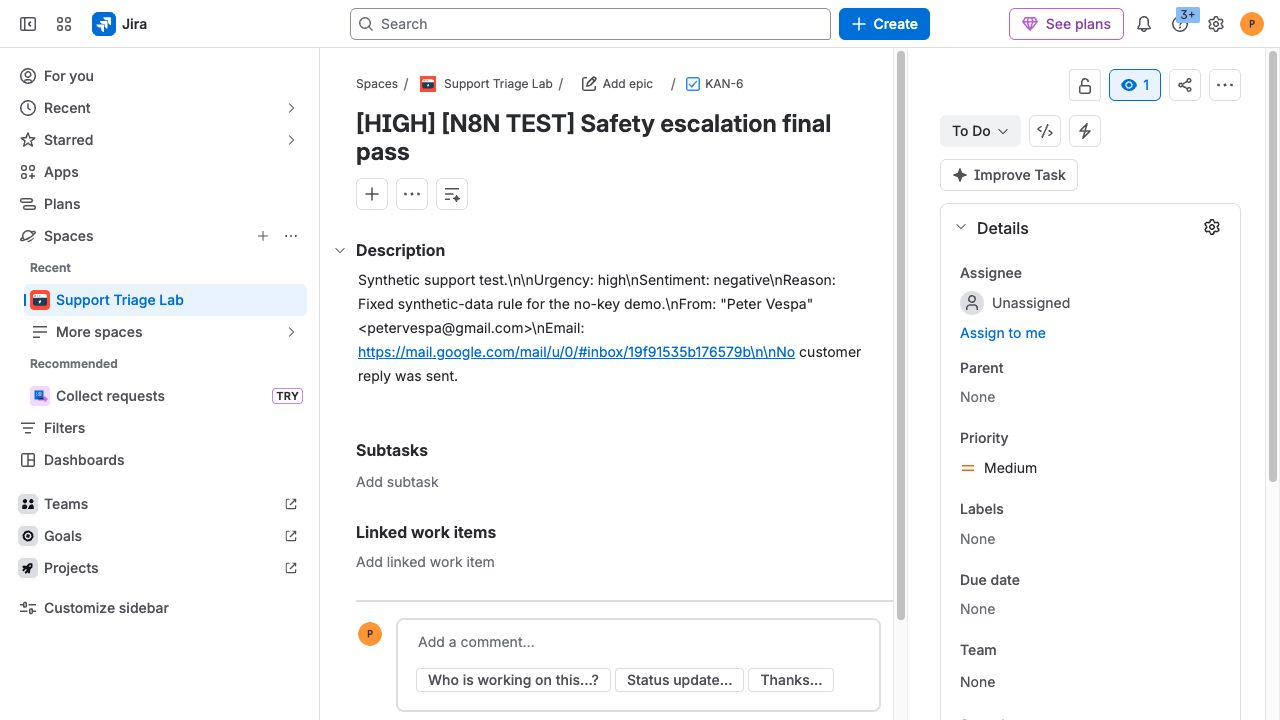
A high-urgency complaint creates a test issue with the model output and a link back to the source email.
Audit
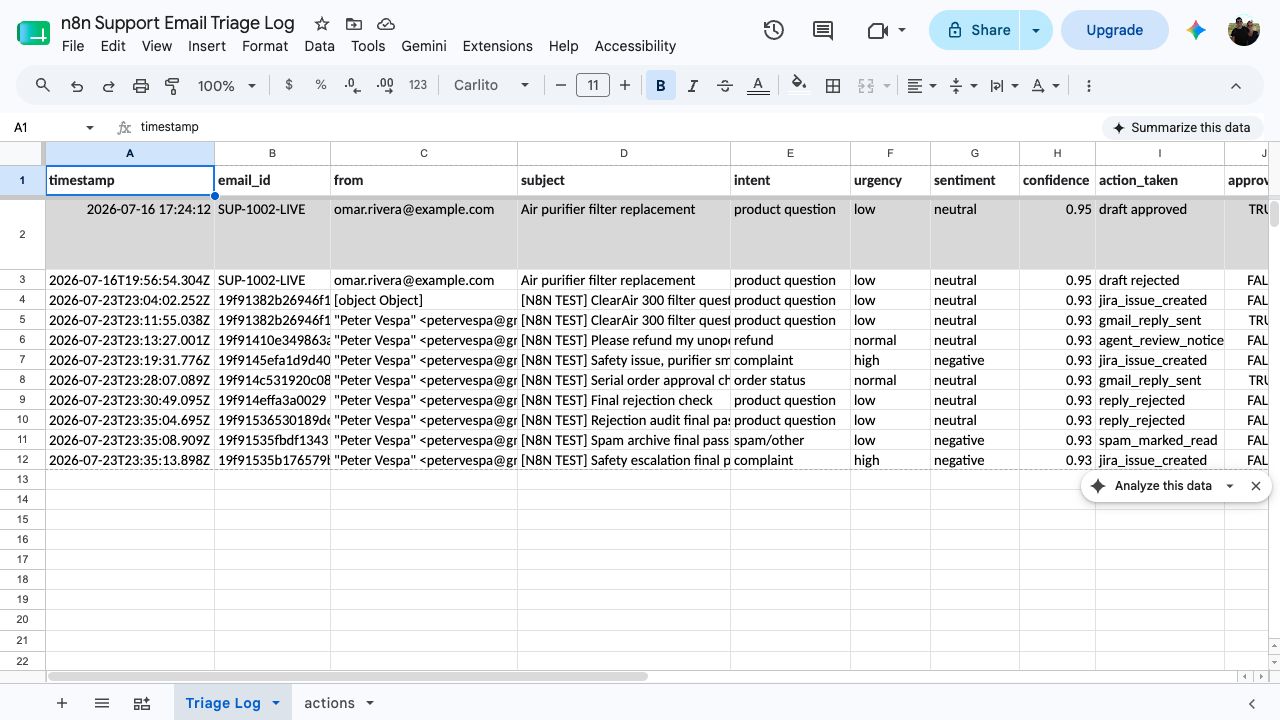
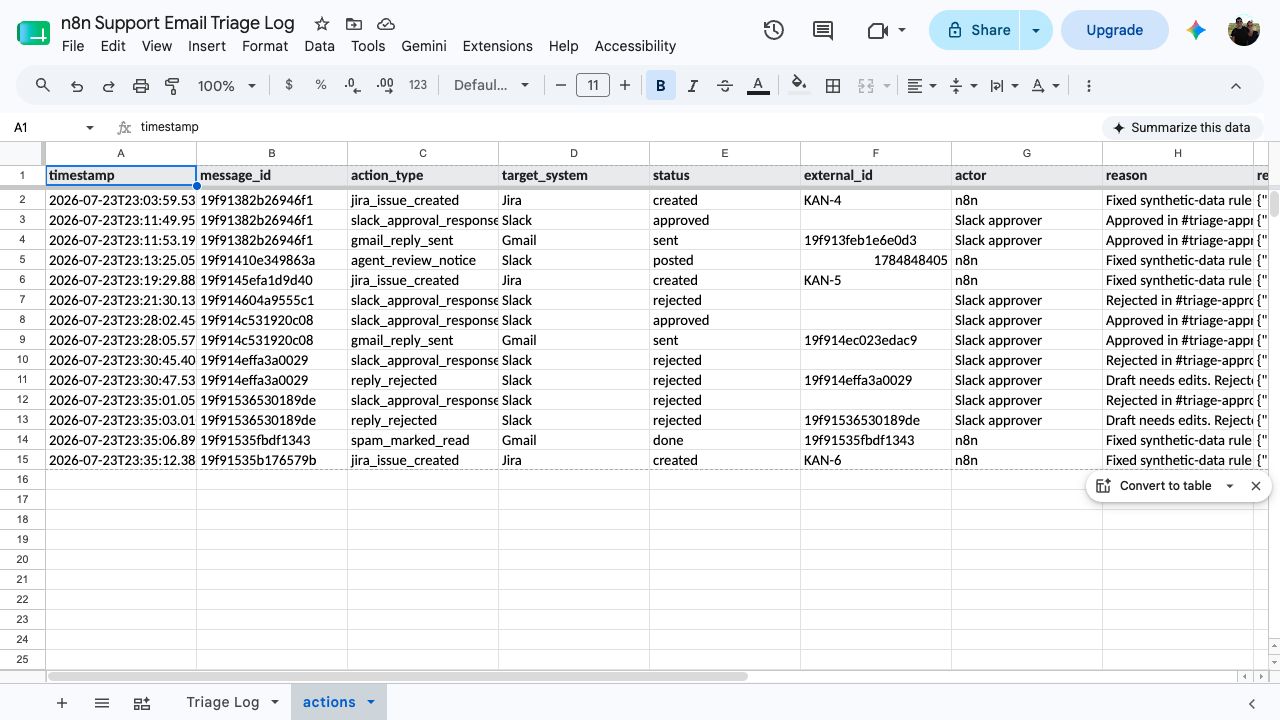
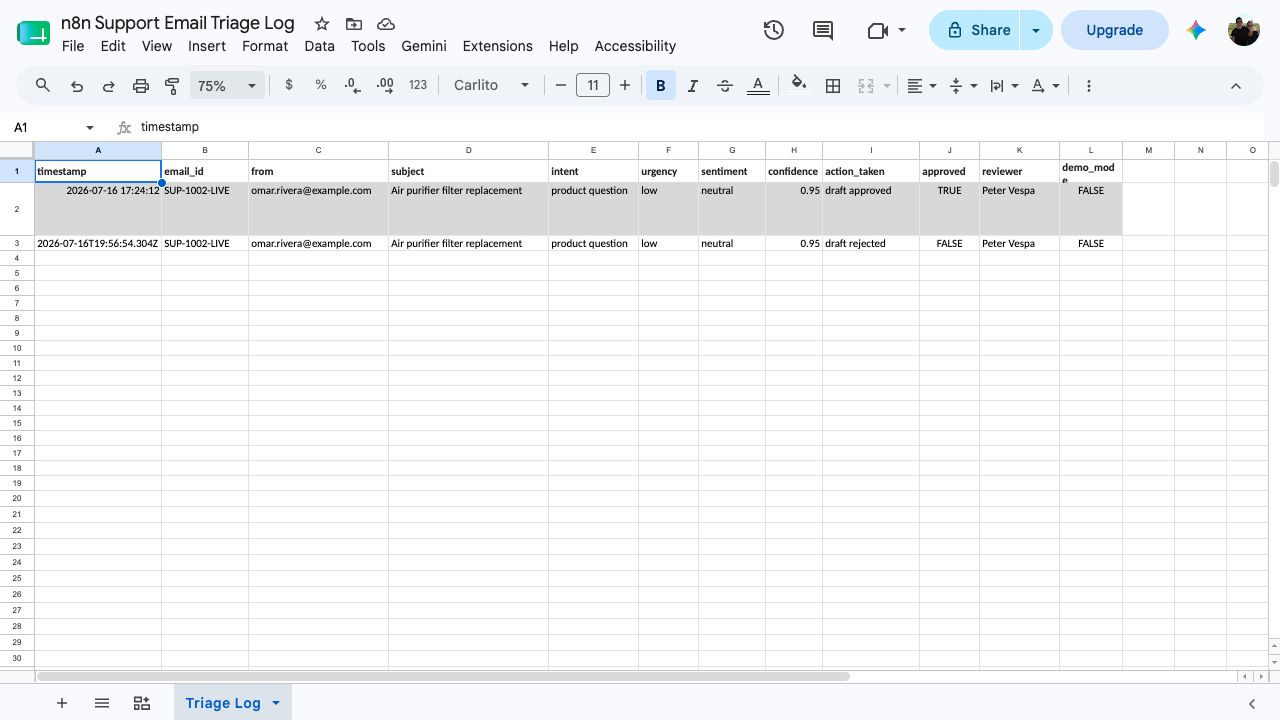
Triage Log records every email. A separate actions tab records each Slack, Gmail, or Jira effect.
Gmail triggerTest label only
Webhook fallbackStructured JSON
→
OpenAIClassify and draft
→
Risk routeFixed business rules
→
Slack approvalApprove or reject
Jira issueHigh-risk complaint
Gmail replyOnly after approval
Google SheetsEmail log and action log
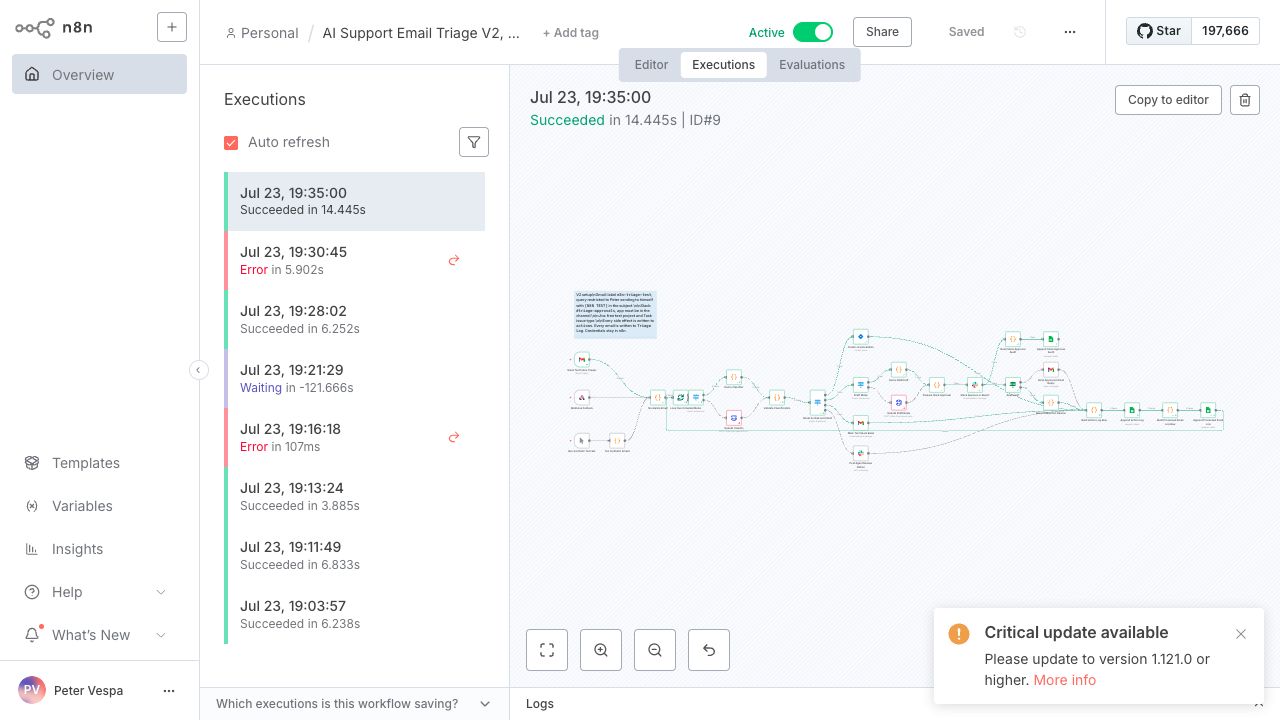
Gmail triggerA three-email burst entered through the label-scoped Gmail Trigger and finished in a serial loop.Slack approvalThe test draft waits in #triage-approvals. Nothing is sent before an approval click.Jira escalationThe high-risk safety complaint created test issue KAN-6 with urgency, sentiment, and the source link.Triage LogEach email records its class, route, human result, and total latency.Actions logEach Slack choice, Gmail send, Jira issue, and spam action gets a separate side-effect row.
Proposed pilot plan
Test one narrow workflow before expanding it.
Start with synthetic or approved messages in shadow mode. Set quality, approval, and safety gates before testing. A named reviewer keeps every customer and employee decision.
What to measure
Keep targets and observations separate.
Record approved-without-edit separately from edited approvals. Measure human working time separately from elapsed resolution time, and track whether trained users choose to return. The downloadable kit lists proposed definitions and gates; it does not report a completed pilot.
Workflow
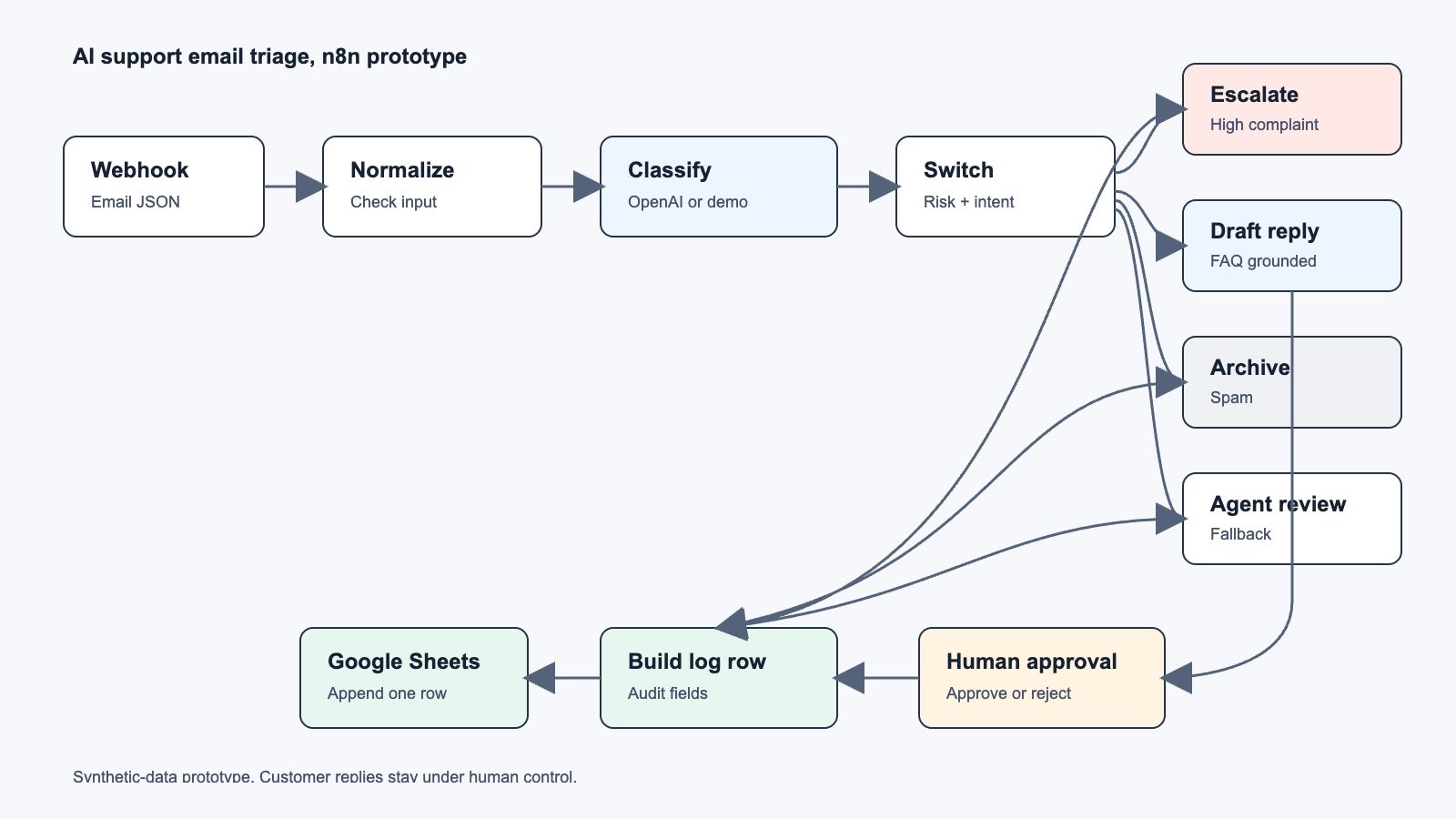
Five visible stages, with the business rules inside n8n.
01
Receive
A webhook accepts a structured support-email payload.
02
Classify
OpenAI returns intent, urgency, sentiment, confidence, and a short reason.
03
Route
A Switch node sends the case to escalation, drafting, archive, or agent review.
04
Review
Routine drafts pause until a person approves or rejects them.
05
Log
The email, classification, route, and human decision are written to Google Sheets.
Tools
Built locally with credentials kept inside n8n.
n8nOpenAI APIGmailSlackJiraGoogle SheetsWebhook fallbackSynthetic email set
Output
Proof from a completed approval and rejection test.
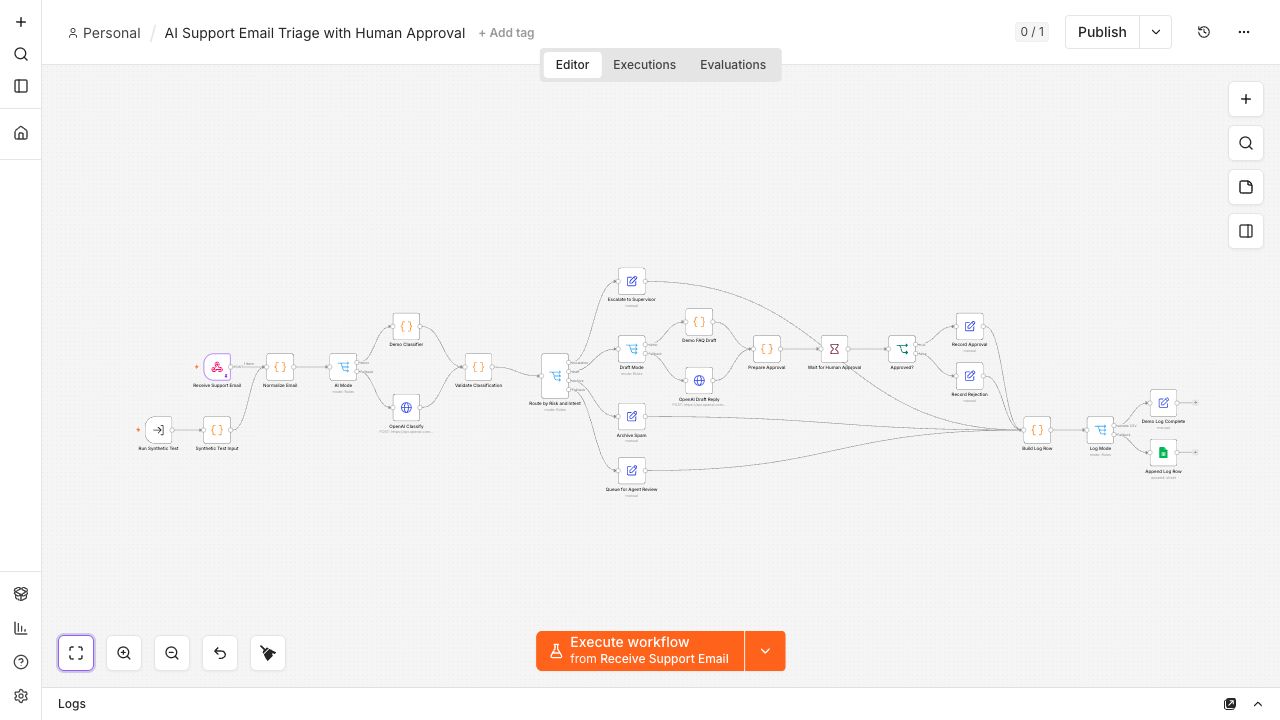
The full workflow canvas, from webhook input to Google Sheets logging.
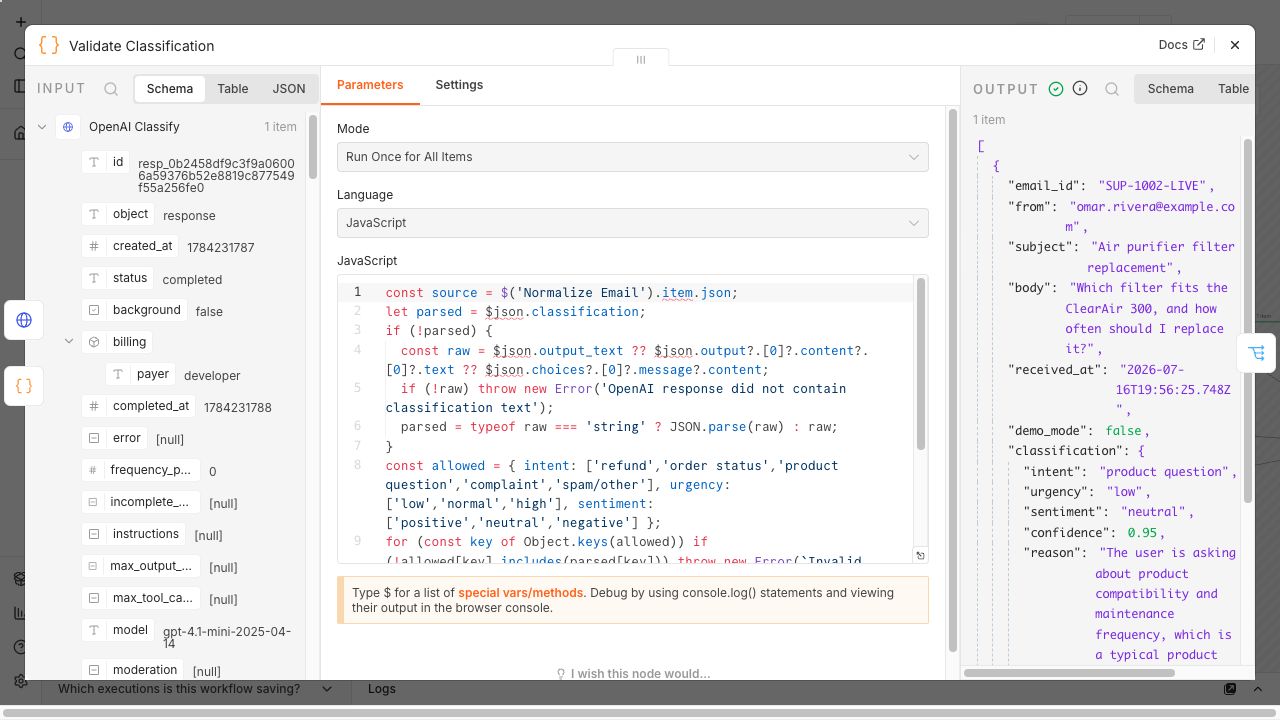
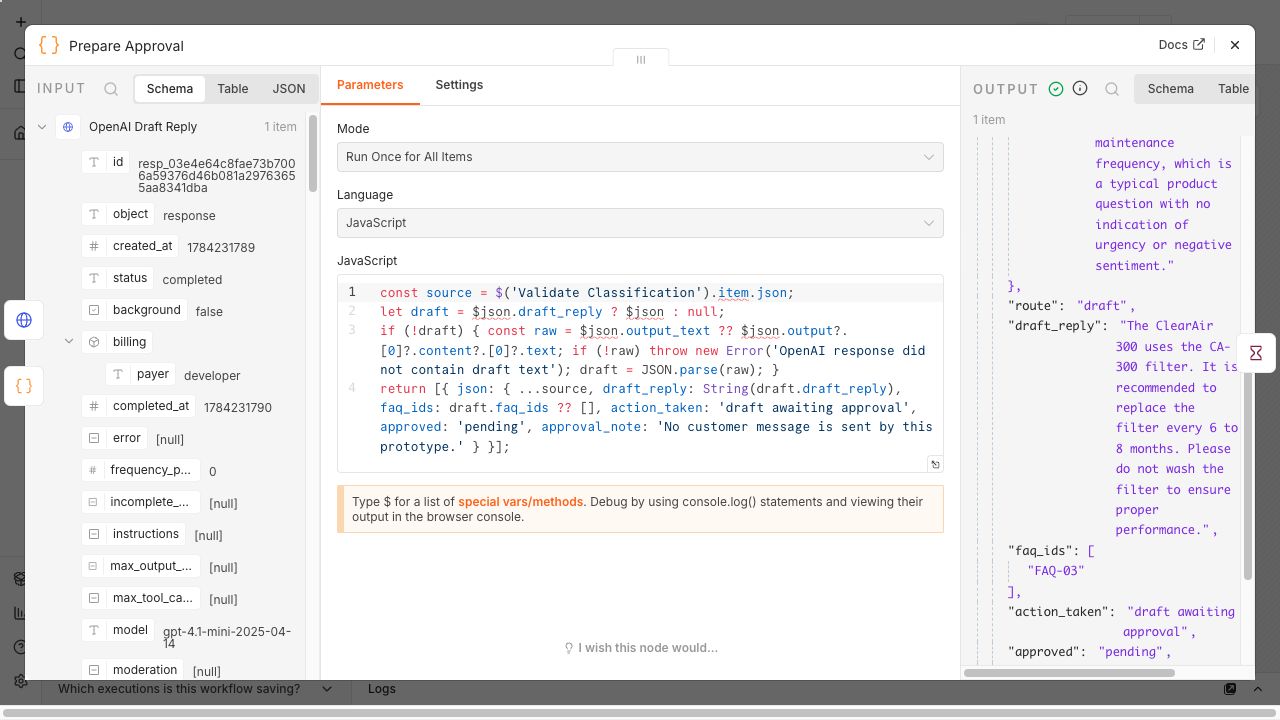
ClassificationIntent, urgency, sentiment, and confidence are returned as fixed fields.Human approvalThe workflow waits. No customer reply is sent by default.Audit logThe sheet records one approval and one rejection from the test.
Result
A full working path, with clear limits.
The prototype ran OpenAI classification and drafting, conditional routing, a real human approval and rejection, and Google Sheets logging. It was tested locally with synthetic data. It has not processed a production inbox or sent a real customer reply.
Based on the narrow FAQ scope, I estimated that about 40% of routine inbound email might be eligible for a first draft. That is a coverage estimate, not a measured acceptance rate or test result. Every draft still waits for human approval.
What I can honestly claim
Integrated an AI triage workflow with Gmail, Slack, Jira, and Google Sheets. I tested it locally with synthetic mail and free-tier accounts. Slack approval blocks every drafted Gmail reply, and the workflow keeps an email log plus a side-effect log. Ten distinct synthetic emails produced final audit rows across staged test rounds. The final three-email burst passed rejection, spam, and Jira escalation routes in one serial run.
What I learned
The model can prepare the work. A person still owns the decision.
This build taught me how n8n passes JSON between nodes, how a Switch node makes routing rules visible, and why model output should be checked before it controls a workflow. It also showed where a prototype stops. A live version would need mailbox access, retry rules, alerts, retention rules, and scored testing.
What the V2 nodes do
Gmail starts the run. OpenAI returns fixed fields. Switch makes the route visible. Slack holds the draft. Jira records high-risk complaints. Sheets records the evidence.
Access kept narrow
n8n requested Gmail read and send access for the test account. The workflow narrows use to one label and a self-send query. Slack uses the chat:write bot scope. Jira uses a test-site API token. Google Sheets uses the Sheets and Drive APIs for one audit workbook.
What I would add for production
Use a hosted n8n instance, narrow app scopes where the connector allows it, add retries and a dead-letter path, rotate secrets, set retention limits, add idempotency checks, and score a test set with support leads.